
Faster Change
Smart Adoption
Experimentative approach to accelerate GenAI change management at scale
Type
UI/UX Design
Product Strategy
User Research
Date
Feb - April 2024
(8 weeks)
About
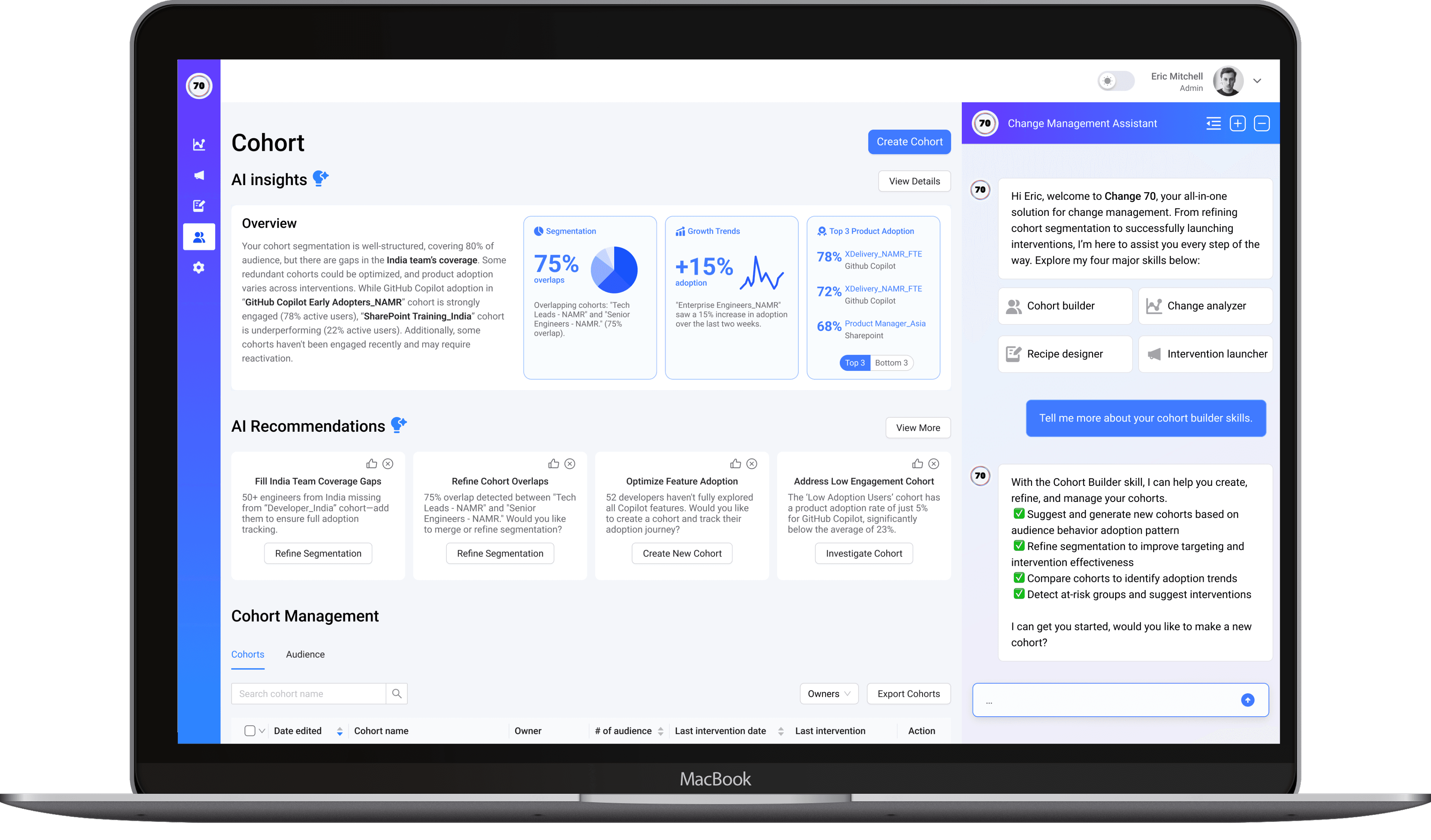
Chang70 is an AI-driven change management tool developed by BCG X to close the gap between AI investment and actual adoption. While most organizations focus on deploying technology, real success hinges on shifting behaviors and processes. Chang70 empowers change managers with behavioral insights and AI-powered nudges to deliver smarter, targeted interventions that accelerate adoption across the organization.
My Role
As the sole designer, I wore both design and strategy hats to drive product clarity and user value. I:
Led stakeholder research to align business needs with user goals
Designed and shipped core features like nudges, A/B testing, and agentic AI workflows
Created UX flows and prototypes for intervention design and real-time feedback
Shaped the product vision of AI as a collaborative partner, not just a backend tool
*Some illustrations on this page are sourced from licensed assets and are not my original work.
01. Design Problem
DESIGN PROBLEM
Change managers lack tools to guide AI adoption, track outcomes, and scale effective interventions.
Change managers are being asked to lead complex AI adoption efforts without the tools to experiment, track adoption in real time, or measure what’s actually working. The process is manual, slow, and based on gut feel—not data. Meanwhile, employees often feel disconnected from the change, which limits impact.
USER RESEARCH
Why this problem?
To better know the reasons behind this problem, my first steps is to interview three change managers and carefully review & evaluate the current solutions.
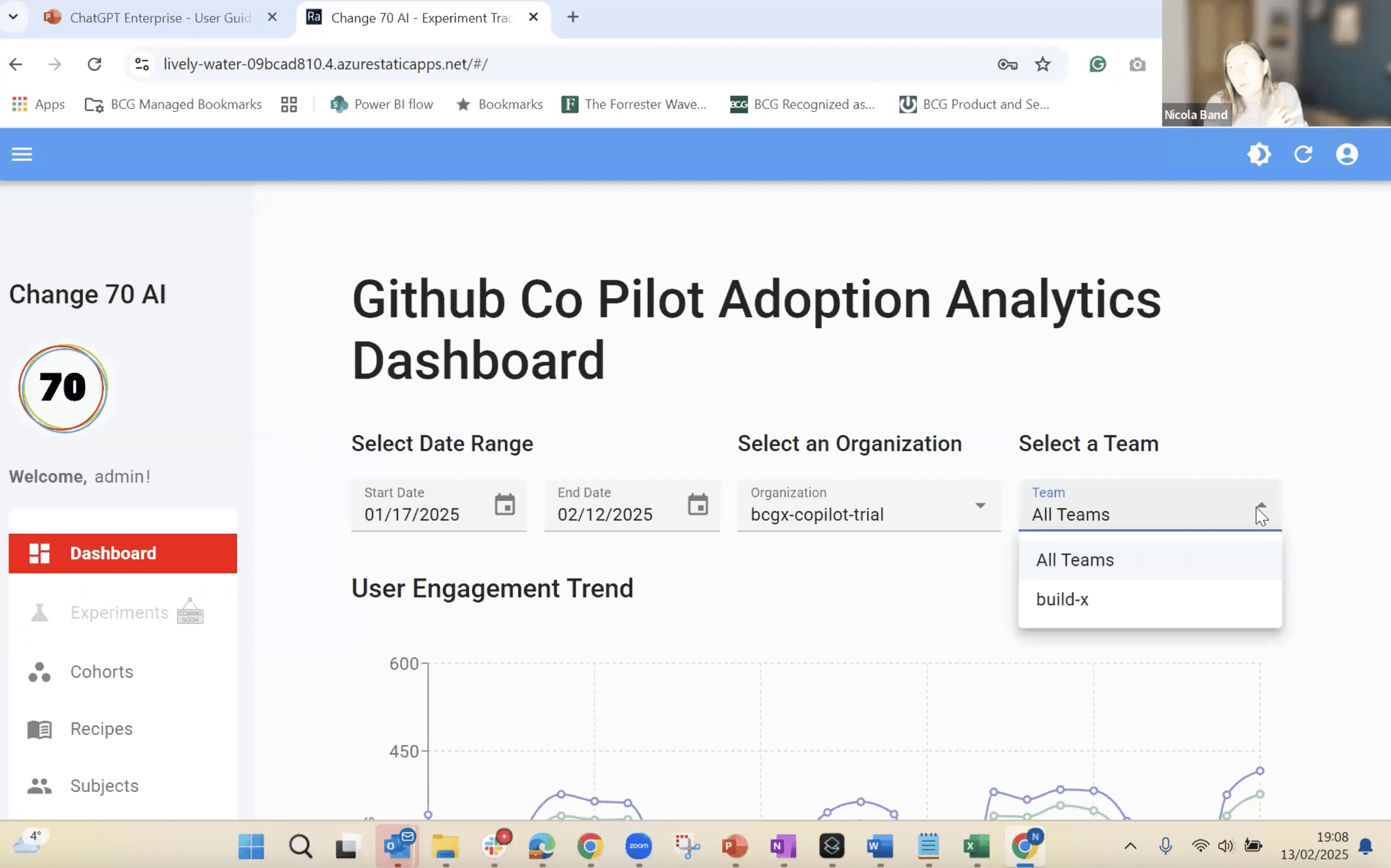
Insights from User Interviews






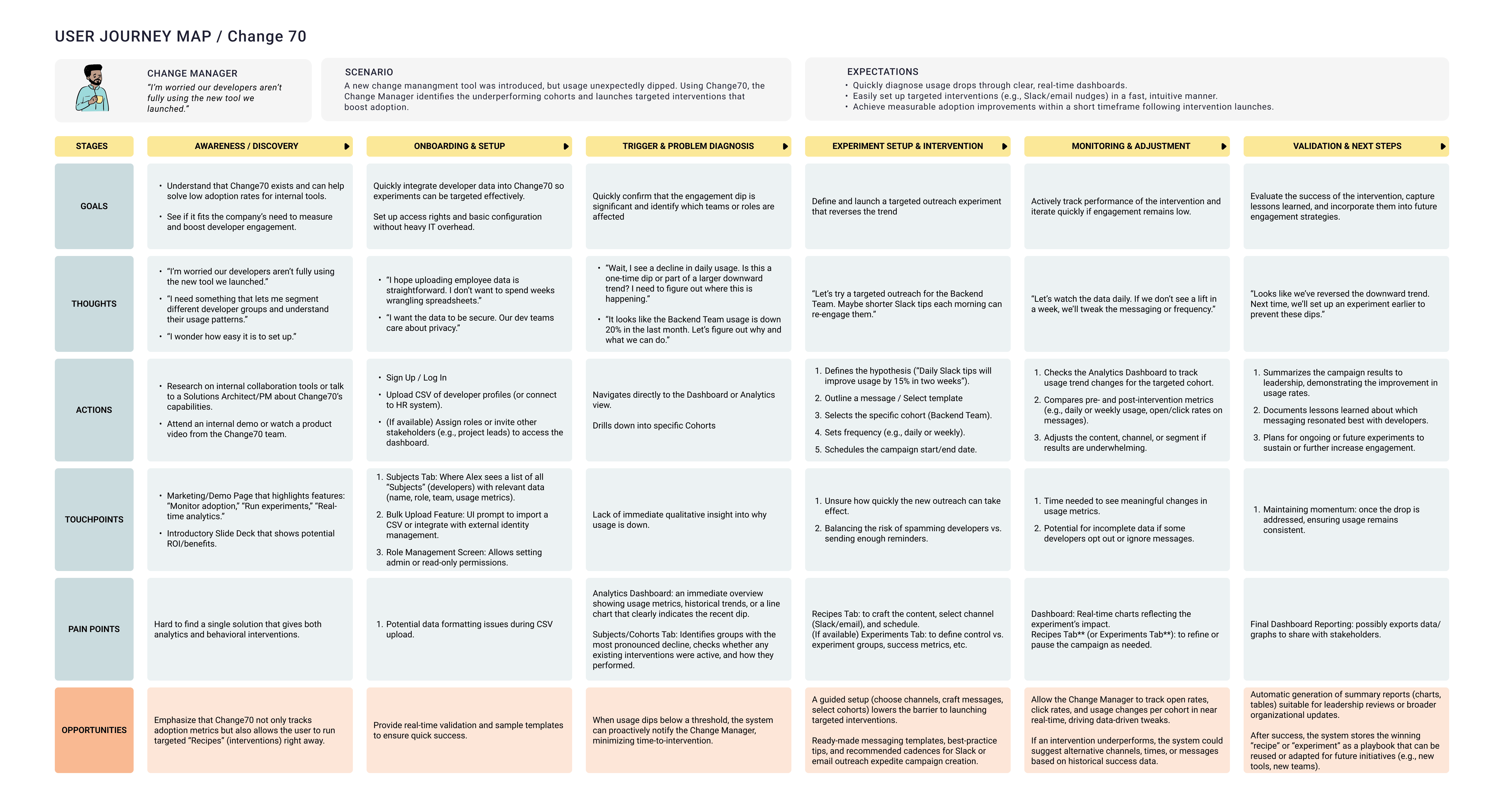
Build Empathy via Personas & Journey Maps
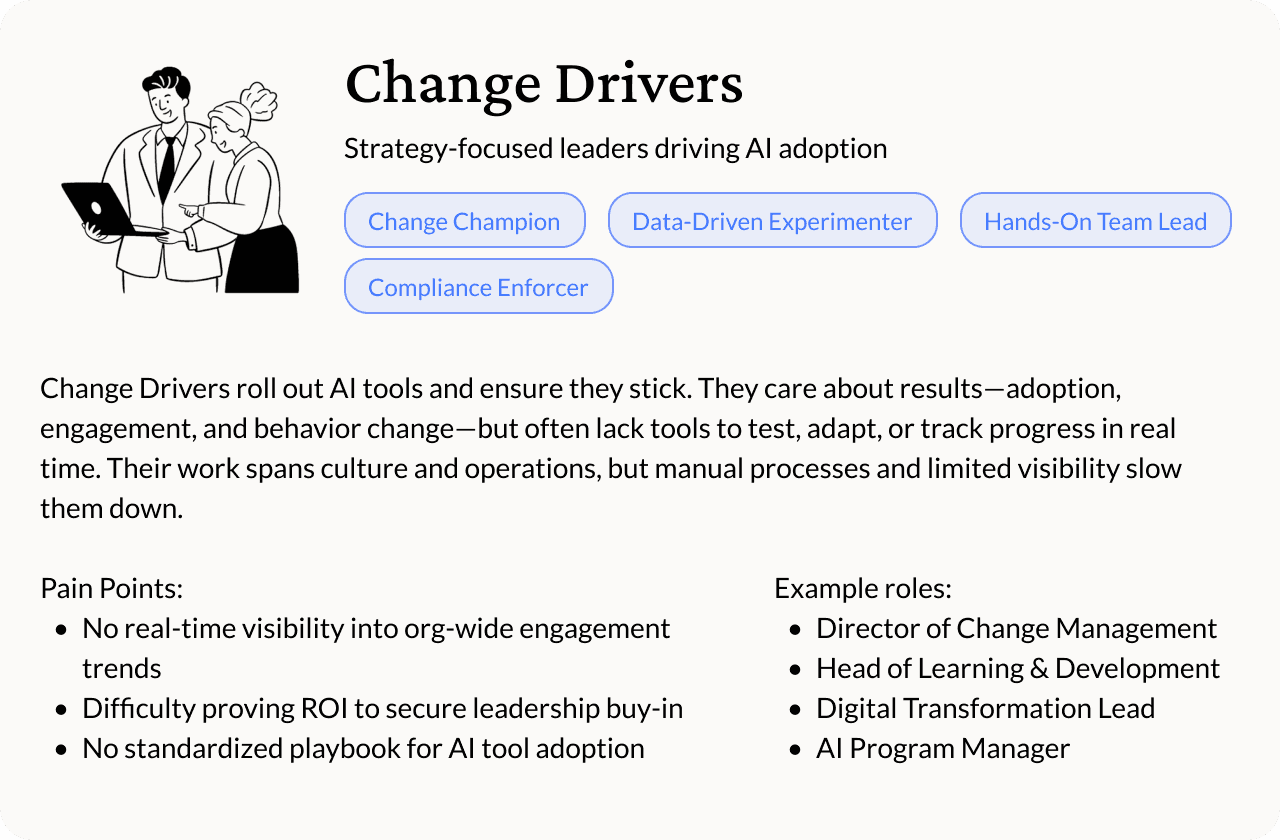
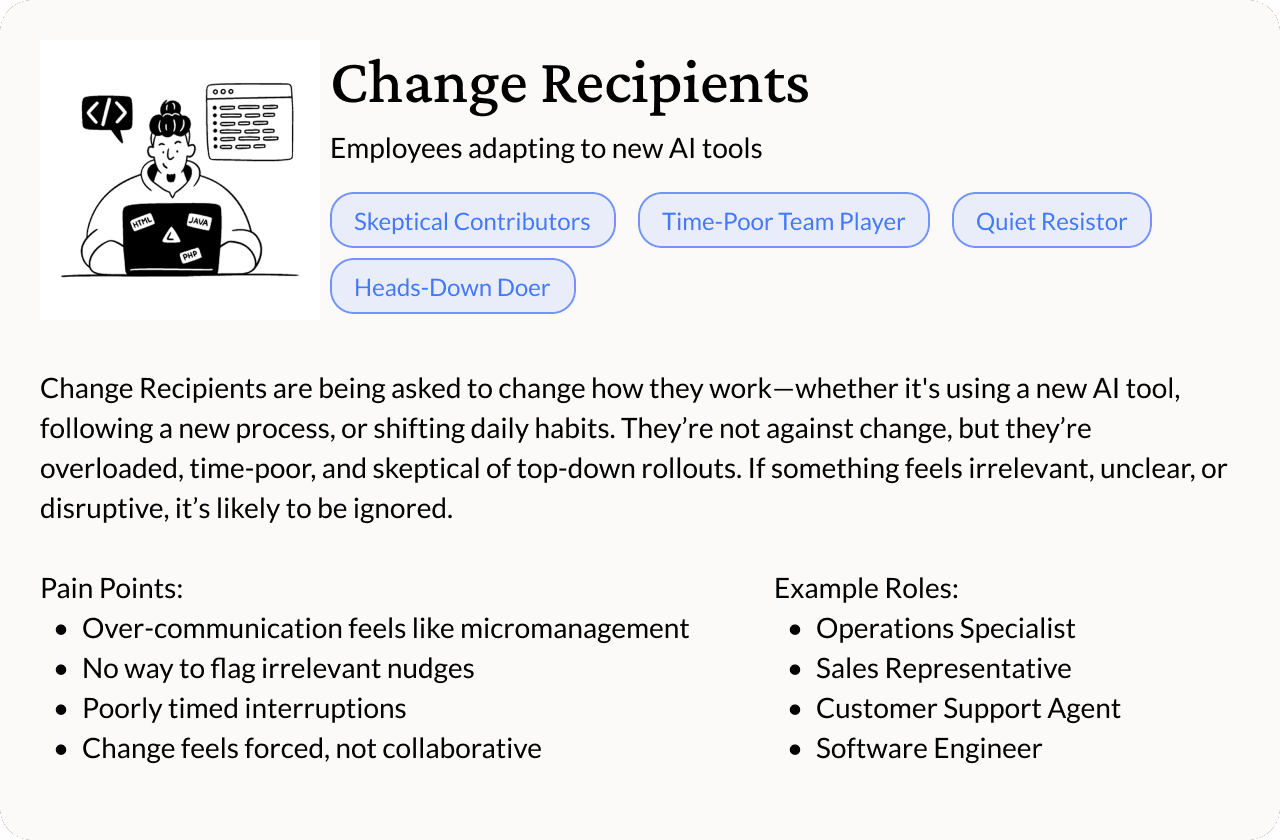
Based on the project scope and stakeholder input, I focused on the Change Driver group—specifically two key roles within it: The Change Champion and The Data-Driven Experimenter. These archetypes guided the core UX and product direction.
Persona
User Journey Map: Change Drivers
02. Ideate & Envision
Define our MVP: Where SaaS Meets AI
To bridge the gap between user needs and AI’s potential, we’re prioritizing three core pillars for our MVP—each addressing critical friction points while laying the foundation for scalable intelligence.
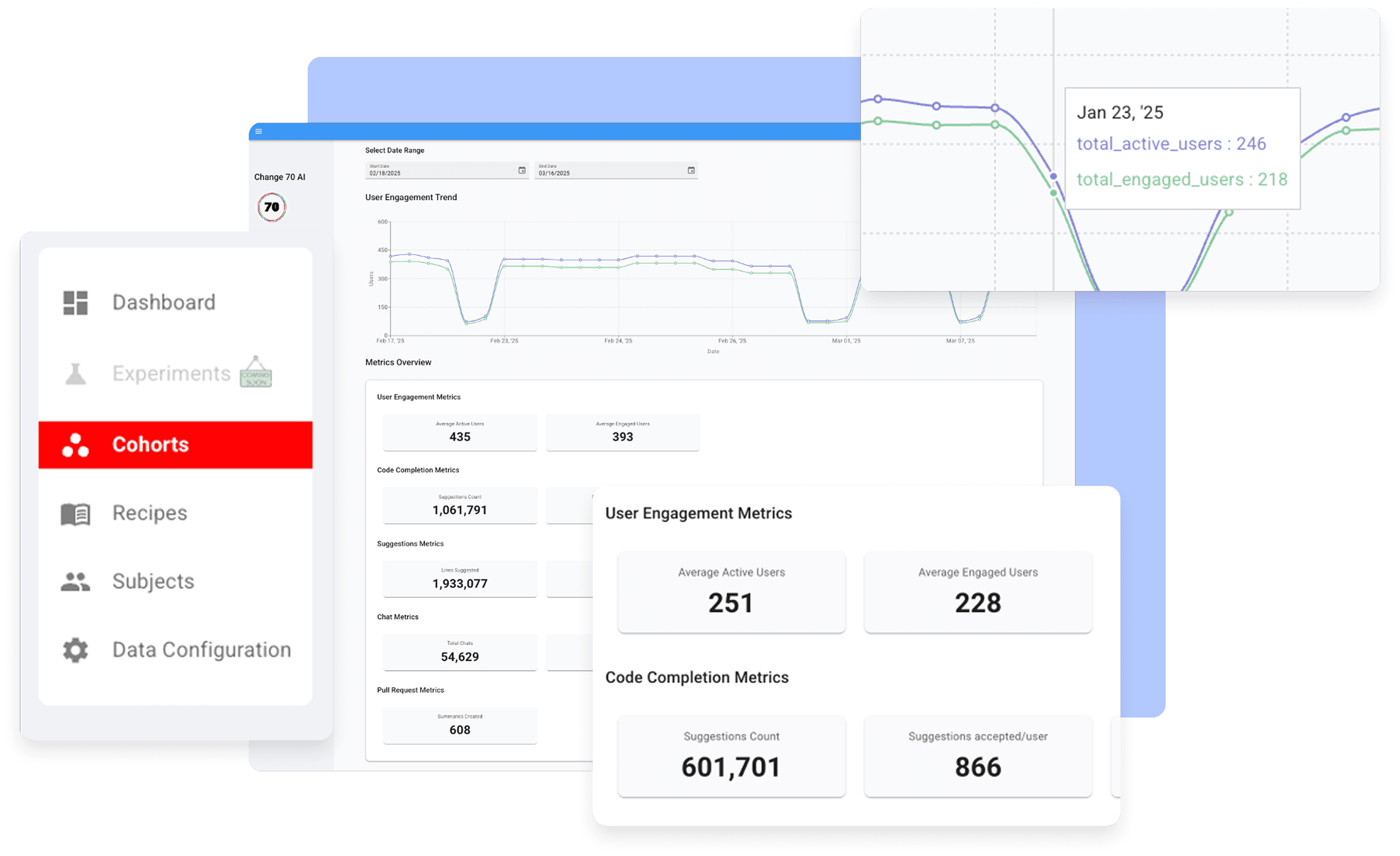
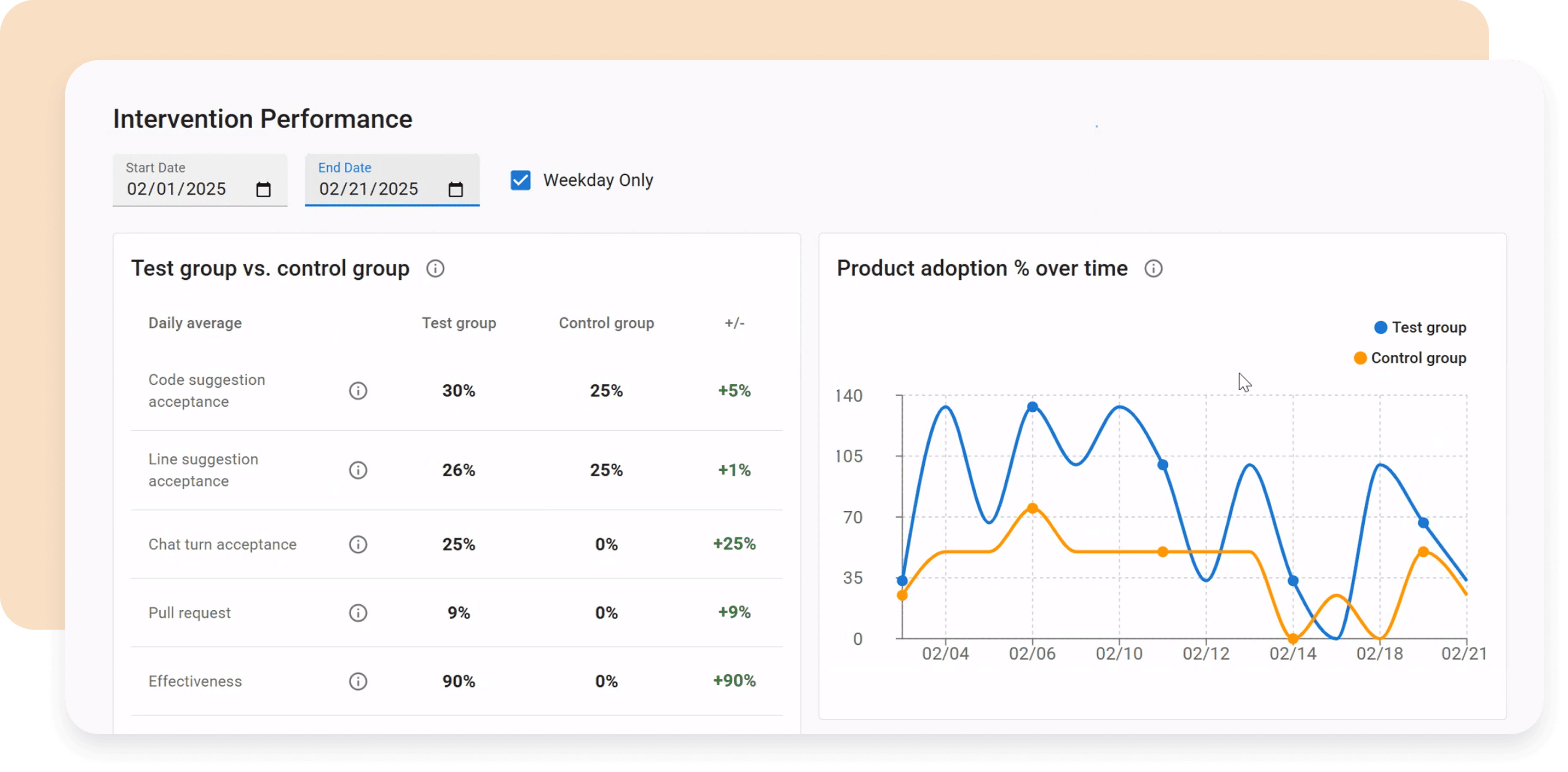
Refine User Flow and Add AI Touch Points
To envision a smooth workflow and identify where AI can best support, I redesigned the user flow (before v.s. after) . AI-generated insights appear contextually throughout the interface, while purple action bubbles mark intentional touch points for change managers to proactively engage with AI assistance.
Drag Slider to Compare User Flows: Before vs. After
03. Design for AI
AI DESIGN CHALLENGE ONE
How might we design a collaborative AI that learns and adapts like a thoughtful partner, not just a tool?
Change managers are being asked to lead complex AI adoption efforts without the tools to experiment, track adoption in real time, or measure what’s actually working. The process is manual, slow, and based on gut feel—not data. Meanwhile, employees often feel disconnected from the change, which limits impact.
Human-Centered AI: Building Trust Through Transparency & Control

Clarify AI reasoning with explanations and data points
When the AI suggests an action, provide clear explanations and relevant data points. This transparency builds trust and helps users understand the rationale behind recommendations.

Allow users to override or adjust AI outputs when needed

Design AI as a supportive partner, not a replacement

Simplify the routine, personalize the complex
AI DESIGN CHALLENGE TWO
How might we guide our AI to learn effectively without a scoring model, data team, or rich history?
Users wanted Change70 to feel like a smart, learning assistant. But without a clear way to define “good,” the AI needed guidance. I proposed using curated high-quality interventions as examples and mapped the user journey to define what context it sees, when it gets feedback, and how it adapts.
Document What Data and Context to Collect and When/Where to Trigger

Direct User Input & Continuous Feedback
Users share goals, preferences, and feedback (e.g. thumbs up/down) to guide and refine AI behavior.

Adaptive AI learning over time
AI evolves through ongoing user signals and context to deliver smarter, more personalized outcomes.
AI DESIGN CHALLENGE THREE
How might we turn nudges into helpful guidance, not noise?
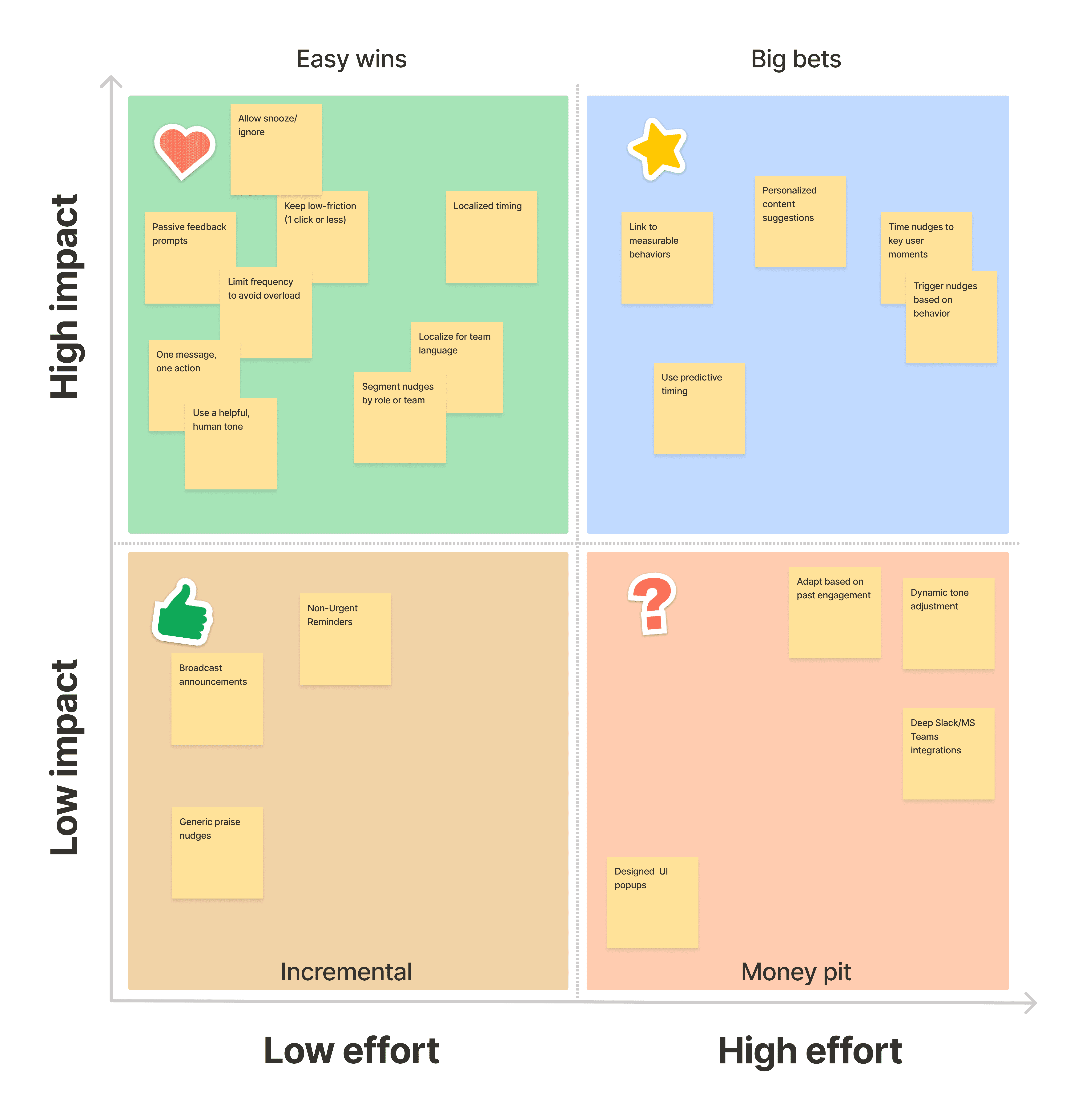
During early stakeholder discussions, “nudges” came up multiple times as a proposed feature to drive AI tool adoption. While I appreciated the intent, I wanted to make sure we weren’t just sending more noise into already overwhelmed workflows. I organized a brainstorming voting session with leads to test ideas and plot them on an impact matrix. The aligned results will guide our prioritization and roadmap planning.
Nudge Impact Matrix: Prioritizing High-Value, Low-Noise Interventions
04. Prototype Highlights
WORKFLOW ENHANCEMENT
I solve problems, not just design for AI—My first step is to prioritize usability and efficiency with low-effort, high-impact changes without altering our core AI functionality.
While leveraging AI’s potential, I prioritized immediate UX gains without backend changes:
Simplified Language: Renamed technical labels + added tooltips → 40% faster onboarding
Optimized Navigation: Consolidated screens with smart shortcuts → 50% fewer clicks to key actions
Streamlined Workflows: One-click integrations + clearer CTAs → 25% faster daily usage
CONTENT DECISION
Though SaaS tools may seem cautious, displaying key data and enabling manual actions ensures transparency and empowers users to improve AI decisions.
Change managers are overwhelmed by scattered data and unclear guidance. I designed an intervention main page that prioritizes AI-generated insights and actionable suggestions at the top, providing a clear call-to-action for immediate impact.
Prioritize Action - AI insights + CTAs at top for quick wins
Layer Information - Surface-level metrics with drill-down options
Close the Loop - Feedback buttons + behavior tracking train AI
Result: 30% faster decision-making with auditable rationale.
AI AUTOMATION
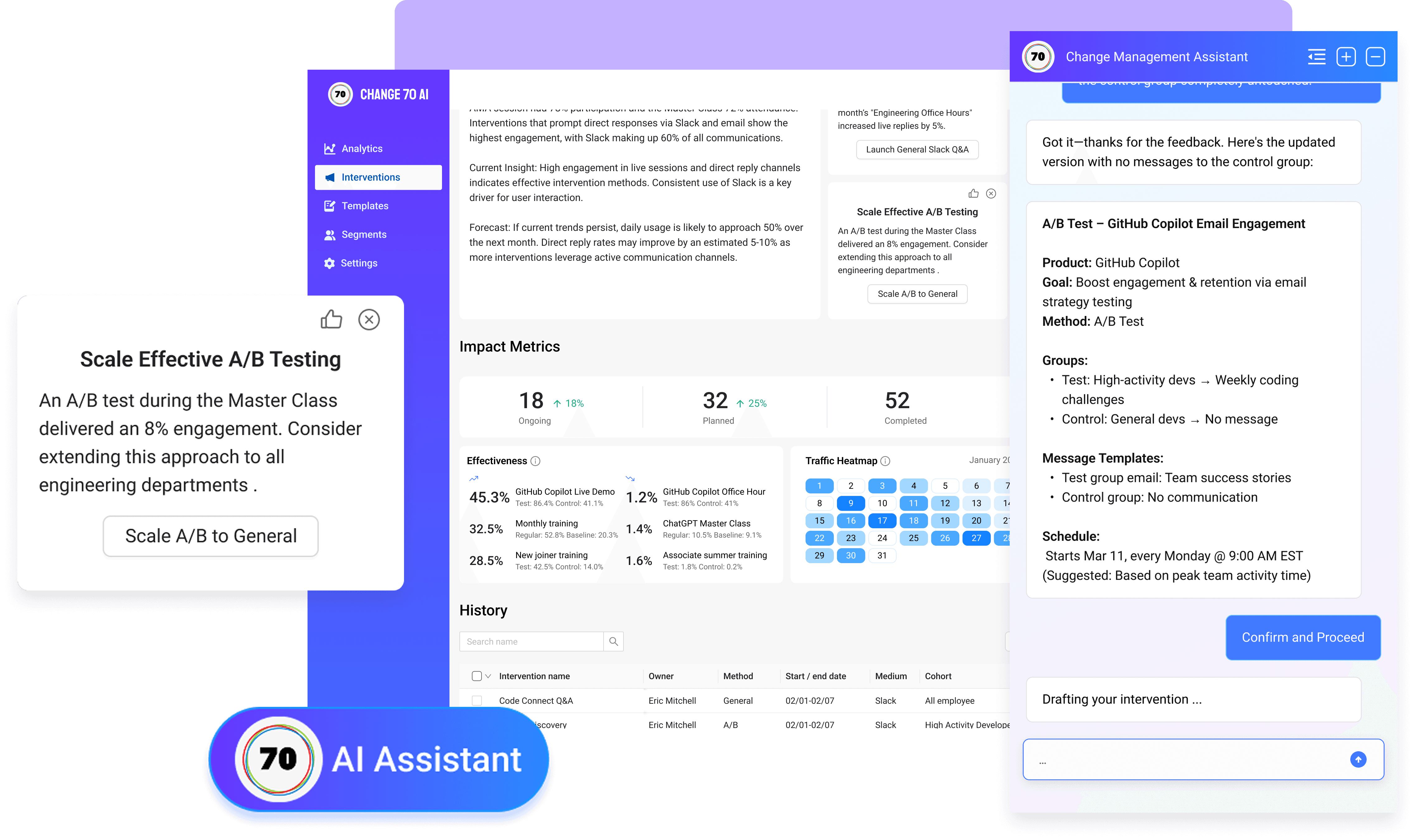
Change 70 transforms intervention setup into a collaborative experience—AI drafts a tailored proposal based on goals, so change manager can review and fine-tune effortlessly without starting from scratch.
One of the biggest challenges for change managers is setting up an intervention from scratch. That's where our AI assistant steps in. Rather than filling out a tedious form, managers can choose from AI-generated suggestion.
Smart Suggestions: AI-generated starting points
Live Co-Creation: Multiple managers refine drafts together in real-time
Version Control: Track edits and compare AI/human contributions
One-Click Approval: Finalize with team sign-off
Cuts setup time by 65% while ensuring alignment.
05. Takeaways
As the sole designer on the Change 70 project, I had the opportunity to advocate for users and collaborate closely with product managers and engineers. Being directly involved in shaping every design decision allowed me to deeply understand user needs and explore how AI could effectively support and simplify their workflows. I learned firsthand how essential it is to gather meaningful data and context to enhance AI-driven experiences, especially in a team without dedicated data science support.
This experience grounded my approach: instead of waiting for AI "magic," I prioritized practical, user-focused improvements—clarifying interfaces, streamlining processes, and ensuring AI suggestions were transparent and actionable. Navigating these challenges was incredibly rewarding and made me even more excited about designing thoughtful AI-driven solutions that genuinely help users.
How might we empower change managers to drive AI adoption through real-time insights, smart automation, and evidence-based interventions?
